Advent Calendar User Guide
This interactive Advent calendar widget provides a festive and engaging experience for your colleagues throughout December. Each day, users can open a door to discover original ideas, ranging from eco-friendly challenges to creative activities, all while strengthening team bonds. The calendar explores various themes, such as Christmas traditions, delicious recipes, and surprising anecdotes from around the world. Create a warm and dynamic atmosphere within your company while celebrating the magic of the holiday season!
Available in FR/EN.

Prerequisites
Users: Global administrators.
Package: Professional + Marketplace add-on, or Enterprise.
Install the extension
In the Extensions library, you must click Install to configure and use the selected
extension. You can search for the selected extension by name or description in the
Search field. When your extension is installed, the Install button changes to Already
installed.
When extensions require an update, you must click Update to update your
extension.
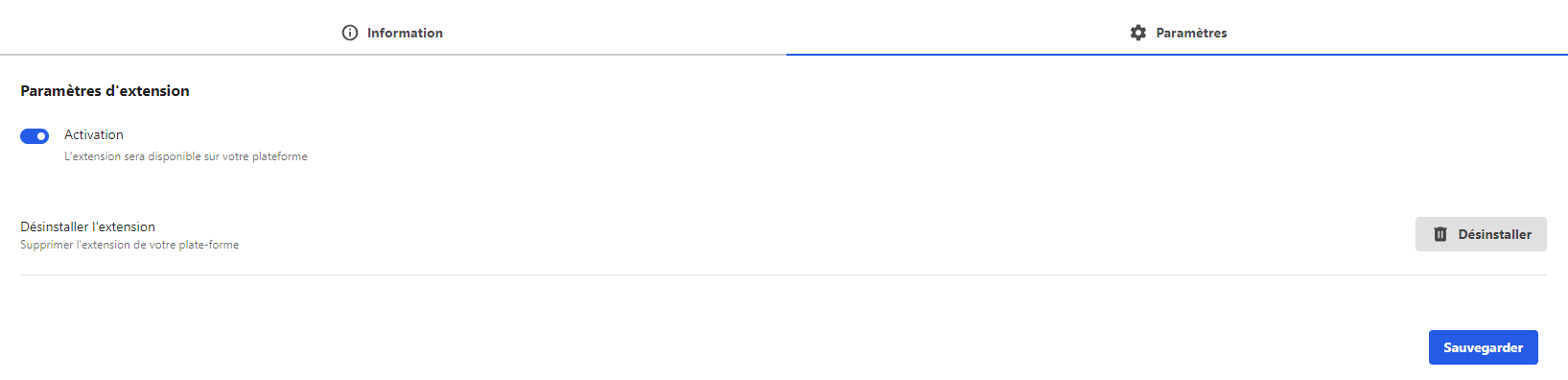
Activate the extension
The last step is to make sure the extension is activated. To activate the extension, go
to the Installed extensions section of the back office and take a look at the Activation
status column. You can easily see which extensions are currently activated or
deactivated.
If the extension is deactivated, you must click the Details button
facing the extension to open the configuration modal.
Using the Advent Calendar Widget on LumApps: Once the advent calendar widget is installed, you can add it to any page on LumApps. The widget allows users can open a door to discover original ideas, ranging from eco-friendly challenges to creative activities, all while strengthening team bonds.